

POS
A Point of Sale Terminal (POS) is a device that manages tasks related to sales in the restaurant, and that, aided by a dataphone, allows customers to be charged by credit or debit card, as well as printing payment tickets. purchasing, controlling inventory, among many other daily tasks.
The correct functioning of POS terminals is essential for any business that processes electronic transactions quickly, securely and efficiently. If a POS is not working properly, it can result in transaction delays, affecting customer experience and business operational efficiency.
Below are common problems and the steps to follow to solve them.
Static drain
It consists of leaving the POS completely isolated from electrostatic elements and ensuring that it releases any possible problem that prevents it from functioning, that is, it is a process that is used to eliminate the accumulation of static electrical charge in the device. To achieve this, the following steps must be followed:
1. Turn off the POS.
2. Locate and disconnect the cables connected to the POS, mainly the electrical current and the network.
3. Wait a couple of minutes offline.
4. Reconnect and test operation.
POS does not turn on
1. Visual inspection: Perform a visual inspection of the power cables for visible damage or short circuits.
2. Power check: Check that the POS is connected to a working outlet, for example, it is easy to test with a mobile charger.
3. Unplug it from the power for a few minutes and then plug it back in and turn it on.
4. Make sure the power cord is securely plugged into both the POS and the power outlet.
5. Test in another outlet: Try plugging the POS into another outlet to rule out a problem with the original outlet.
6. Replacing the power cord: If you suspect that the power cord is damaged, try replacing it with another compatible cable.
POS turns on, but does not work
1. Perform static drainage.
2. Check if the POS is turned on, and that it does not display error messages.
3. Disconnect the data cable or internet cable at both ends and reconnect.
4. Connect the network cable to another socket that you are sure is working correctly.
5. Try another network cable from another POS that works correctly.
6. Network cable replacement: If you suspect a cable is damaged, try replacing it with another compatible cable; For example, use that of another POS that is working correctly.
7. Restart the POS equipment.

POS does not respond to touch
Sometimes the touches on the touch screen are not registered correctly, which is why it is necessary to adjust the precision of the touch response. In these cases, the POS must be restarted and check if after that the ticking has worked correctly again. Otherwise, it will be necessary to create an incident in the ticket system so that the restaurant staff, together with the remote technician, can carry out the necessary calibration procedure.
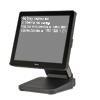
POS shows black screen with white letters
1. Perform static drainage.
2. Disconnect the data cable or internet cable at both ends and reconnect.
3. Connect the network cable to another outlet that you are sure is working correctly.
4. Try another network cable from another POS that works correctly.
5. Network cable replacement: If you suspect a cable is damaged, try replacing it with another compatible cable; For example, use that of another POS that is working correctly.
6. Restart the POS equipment.
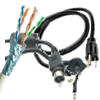
POS has a broken cable
1. Damage assessment:
– Carefully examine the broken device cable to determine the nature and extent of the damage.
– Take photos of the device where you can see the make/model and another where you can see the damage.
2. Replacement with another: If it is an essential piece of equipment, try replacing it with the cable from another piece of equipment that has less use or is less essential.
3. Restart your computer. Perform a test sale to determine if the replacement has worked.
4. Create an incident in the ticket system explaining the assessment of the damage, and attach the photos, so that onsite support has the necessary elements to repair/replace the cable.